
Maxshot V1 Electric Scooter: Review, Specs & Pros/Cons
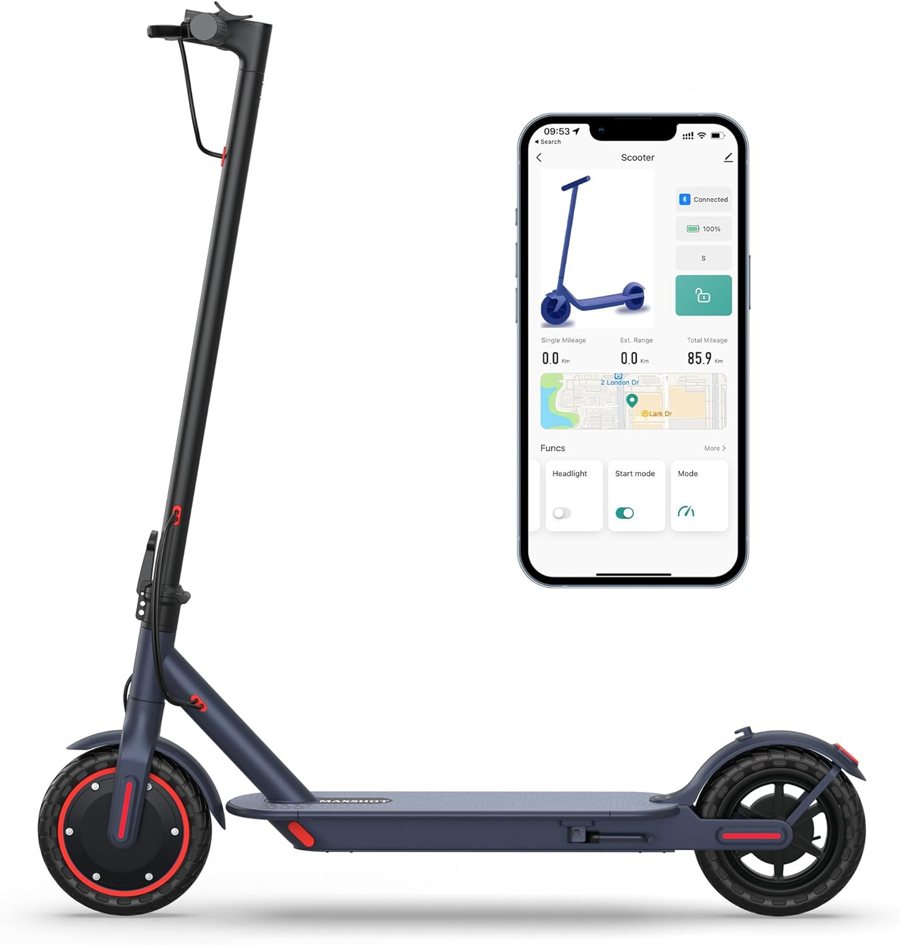
The Maxshot V1 is the brand's flagship budget foldable scooter, best for flat, short city commutes rather than hills or long range. It has an LED display, Bluetooth app, multiple speed modes and cruise control, with a replaceable charger and battery.
The Maxshot V1 is the brand's flagship and most common model — the default choice if you want an affordable, foldable commuter scooter for short city rides. It covers the essentials well: a compact fold, an LED display for speed and battery, Bluetooth app connectivity, multiple speed modes and cruise control. It's best suited to flat-to-gentle urban routes and last-mile trips rather than long-distance or steep-hill riding. Exact motor power, range, top speed and weight vary by batch, so confirm those on the current Amazon listing and in the manual before you buy.
Specifications
| Type | Budget foldable electric commuter scooter |
| Folding | Yes — folds compact for storage and transit |
| Display | LED display (speed, battery, mode) |
| App / Bluetooth | Yes — pairs with a companion app over Bluetooth |
| Modes | Multiple speed modes plus cruise control |
| Best for | Flat city commutes and last-mile trips |
Pros
- Affordable entry point into a foldable app-connected commuter.
- Compact fold makes storage and mixed transit easy.
- LED display plus app gives speed modes and cruise control.
- Charger and battery are replaceable, so upkeep is straightforward.
Cons
- Best on flat routes — limited power for steep hills.
- Budget build means occasional quirks or error codes.
- Range is modest and drops in cold weather or with heavier riders.
What the V1 is built for
Think of the V1 as an everyday, get-to-work-and-back scooter for riders who value simplicity and price over top-tier performance. It folds down quickly to fit under a desk, in a car trunk or beside a transit seat, and the LED display keeps speed and battery in view. Pairing the app unlocks the speed modes and cruise control, which make longer flat stretches more comfortable. For the exact rated range and top speed, check the live listing — those figures move between batches.
If you're weighing it against the other variants, our Maxshot models review compares the V1 with the V7 and S5 side by side.
Setup and everyday use
Start by charging it fully, then pair the app following our Bluetooth pairing guide so you can select speed modes and enable cruise control. Build good habits early with how to charge your Maxshot to protect battery life. Before your first longer ride, confirm the rated weight limit and specs, since riding near or over the limit reduces range and hill performance.
Support and maintenance
If the display ever shows a code, our error codes E2/E7 guide explains the common ones and quick fixes. When a part wears out, the parts and replacement hub covers chargers, batteries and tires, and the battery replacement guide helps when range finally fades. For anything else, the troubleshooting hub is the place to start.
Frequently Asked Questions
Is the Maxshot V1 good for daily commuting?
What is the range and top speed of the Maxshot V1?
Does the Maxshot V1 have an app?
Can I replace the Maxshot V1 battery and charger?
Ready to check the latest price?
Check the current Maxshot V1 price on Amazon